So we've probably all seen the mock-ups for Firefox 4.0 by now, but has any of it been implemented? In the Windows version, yes. On the GNU/Linux version, partially. And it looks like it's going to stay that way. I'm going to show you what's different in the current development version (nightly 4.0b8pre) from 3.6.
First up: Firefox 4.0 has great support for the new HTML5 specifications like CSS3, Canvas, Offline Web Applications, Drag-and-Drop interaction, Geolocation, SVG, Animated SVG, Video tag, Audio tag, WebM, and so much more. HTML5 is now very popular on the web, but because many people use older web browsers or web browsers that don't support such new features, web sites are designed to work despite a lack of support for HTML5. So while these are great features, you might not notice them or necessarily want to use them, I will not be talking about them much here. This is the state of Firefox 4.0 on GNU/Linux.
Default Starting Layout:
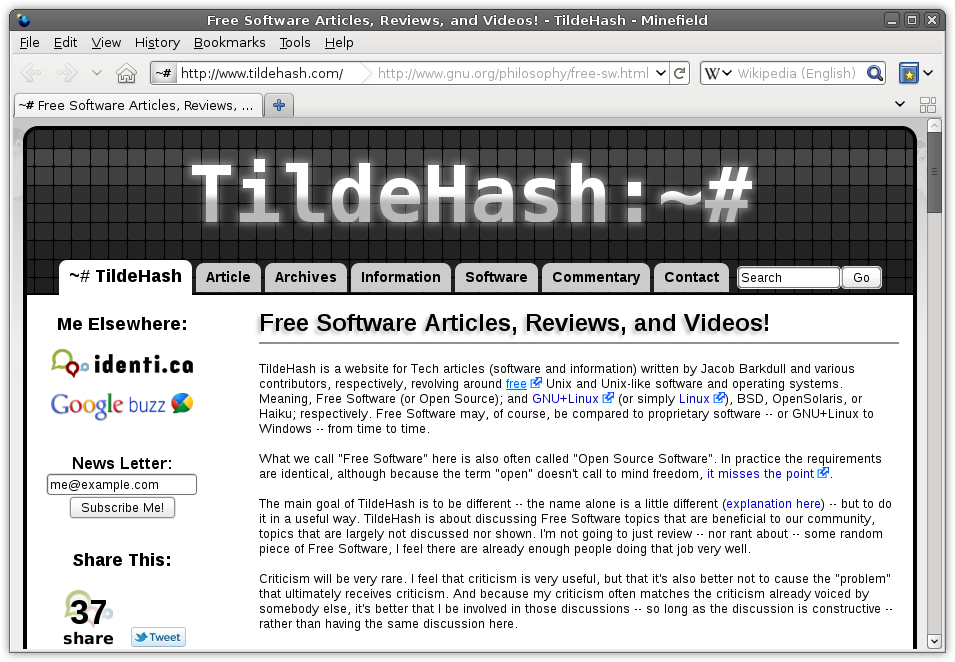
Here the only differences from Firefox 3.6 you'll notice are:
-
That the "Bookmarks Toolbar" isn't displayed, instead there is a button with a book icon that gives you the same options that appear under the "Bookmarks" menu at the top of the browser.
-
The "Stop" and "Reload" buttons are gone, the same functionality is performed with the reload button at the end of the location bar.
-
The statusbar has been removed as page load progress is no longer displayed there, instead there is now an option to display the "Add-on Bar" where certain Firefox Extensions such as Firebug and AdBlock display icons in order to easily access the add-on's functionality.
-
There now appears a button showing different sized squares and rectangles that activates the new "Panorama" functionality.
-
There no longer exist lines dividing each toolbar and the tab bar.
Tabs On Top & Other User Interface Changes:
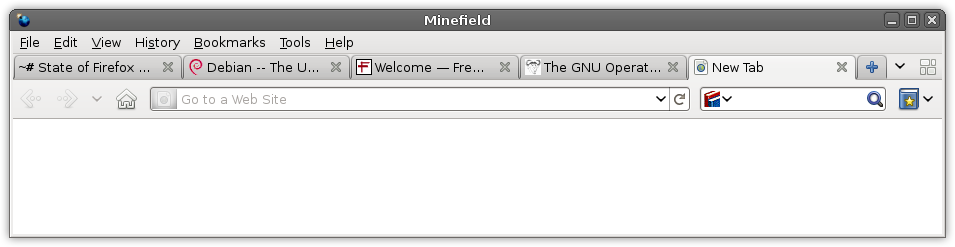
A right-click near the top of the browser (e.g. across from "Help") a menu is given to set interface preferences like to display the "Add-on Bar", "Navigation Toolbar", "Bookmark Toolbar", and "Customize...". Click "Tabs On Top" from this menu to get an experience more like Google Chrome's.
Tabs now have a nice fade & slide effect both when they are opened and closed. Also, the way loading is presented has changed, instead of the way Mozilla presented in their mock-ups, loading is basically done the same way as in Firefox 3.6, except without the useful progress information in the statusbar.
Mozilla's mock-up for tabs with the progress bar built-in was implemented on the GNU/Linux nightly builds, but the changes have since been reverted, but with a new animated loading icon.
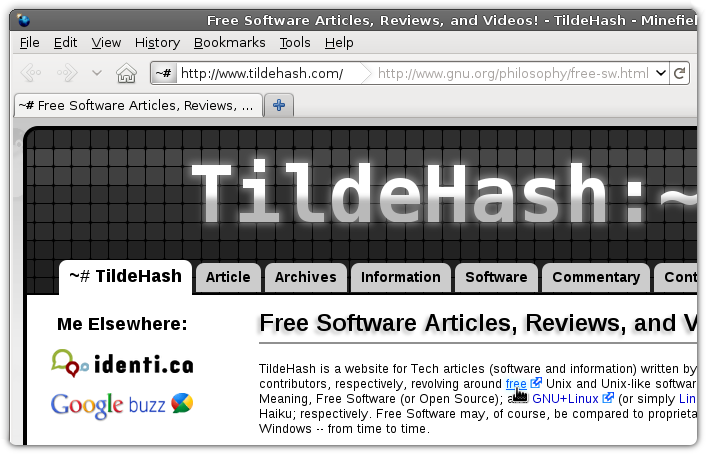
Upon hovering over links information is no longer displayed in the statusbar, it is now displayed in the location bar. Nicely fading in and out, the only problem with this is the fact that there isn't much space available for both the current page location and a link's destination to be displayed at the same time.
App Tabs:
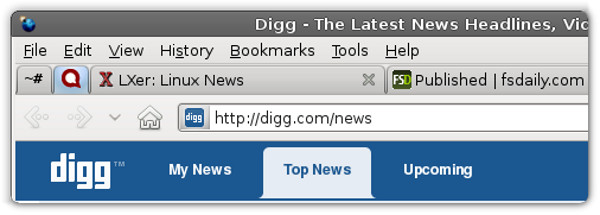
Similar to what Google Chrome implemented previously, tabs can now be "Pinned" as "App Tabs" which makes them small favicon-only tabs that open every time you launch Firefox. Of course, this has been possible in Firefox for some time now, through use of add-ons. The new Firefox 4 simply has this feature built-in now; just right-click on a tab, choose "Pin as App Tab" and you'll get a small tab on the tab bar's far-left side; right-click again, choose "Unpin Tab" to undo this process.
Firefox Panorama:
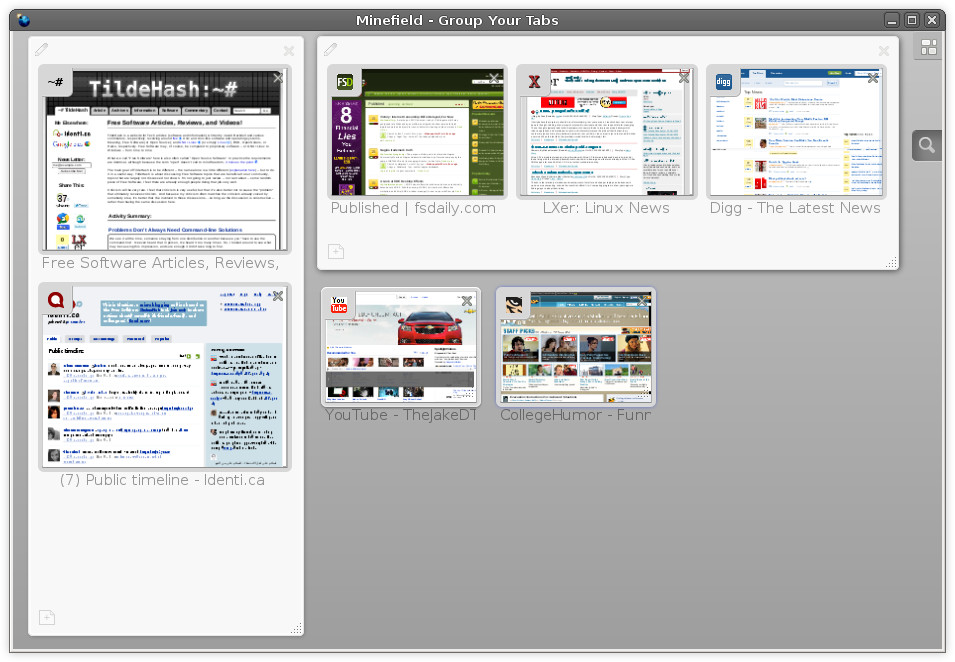
With Panorama in Firefox 4.0 you can drag and drop your tabs into manageable groups that you can organize, name, and arrange, in a fun and visual way.
What's most impressive about Panorama is it's ability to automatically snap tab groups to a grid and resize other tab groups to best fit the space available.
Firefox Sync:
Firefox 4.0 comes with a synchronization feature built-in, with this feature you can synchronize your settings, passwords, bookmarks, history, open tabs and other customizations across multiple devices so you can take Firefox with you wherever you go.
Web Console:

In Firefox 4.0 the "Web Console" is to Firebug what Firefox's DOM Inspector is to Firebug, basically Mozilla's own simplified integrated implementation of Firebug, with this experimental analysis tool Firefox allows you to peek under the hood of dynamic modern websites' web pages.
"Paste & Go" and "Paste & Search":
In Firefox 4.0 after copying text you may right-click on either the location bar or the search box and there is either the option "Paste & Go" or "Paste & Search" depending on what you right-clicked on. These options do exactly what you might expect, "Paste & Go" pastes your copied text and simultaneously directs you to the URL/text you had copied, "Paste & Search" pastes your copied text and simultaneously directs you to a search page of whatever search engine you had selected.
"About Firefox" Is Where You Update:
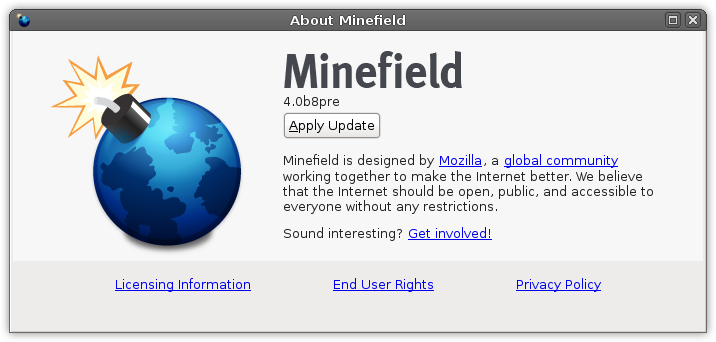
The "Check for Updates to Firefox" no longer appears under "Help", instead updates are performed by going to "Help" then to "About Firefox" it will automatically check for updates and if it finds any you can click "Apply Updates" to update Firefox.
