If you're like me, you hate when you're in a hurry and just want to start an application, get right to it, and just start working. Well it never works that way when you need it to. You have to start the application then navigate to the directory containing either the various subdirectories or the file(s) you'll need to work on, before you can even start. Wouldn't it be nice to just start the application at the navigation stage? Well you can. As well as: graphically feed text to Espeak or Festival, graphically display a command's output like a directory listing or a file's contents, graphically start a web browser at a specific website like a Google search with your input, and so much more! This is basic BASH and Zenity, so don't worry, it's easy!
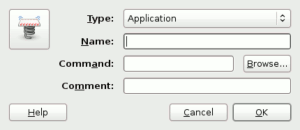
All the examples here use simple code that can be placed in a GNOME Panel Launcher. Simply copy & paste the code into a "Custom Application Launcher" on the GNOME Panel. You can do this by performing a right-click on the GNOME Panel, clicking on "Custom Application Launcher" and filling in the "Name" area and pasting the code into the "Program" area.
Start At Navigation Stage
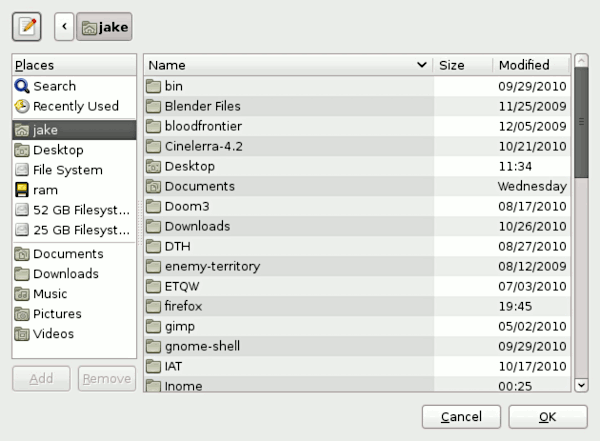
This example is very useful, it launches a file browsing dialog similar to the default GNOME file browsing dialog. In this example the files you select are sent to the gEdit command, this causes gEdit to open with these files already loaded. This has the same effect as typing "gedit ~/example.txt" into your standard terminal, except with Zenity it's done graphically.
This example isn't limited to gEdit, you can use it with Totem, GIMP, Blender, Cinelerra, or any other program command that normally allows you to launch it from a terminal and open specific files.
File and Command Output In Editable Text Box
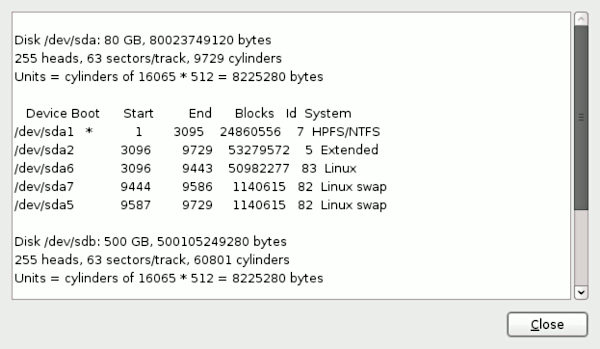
You'll notice that in this example I'm using the previous example to graphically select a file I want to read. There's another way of using this same Zenity function, though.
Such as typing in a directory to graphically display it's contents.
Or graphically display a command's output (use carefully.)
Quick Festival / Espeak Text-To-Speech User Interface
For Festival:
For Espeak:
These two examples each open a text box window where you may type or paste text that you would like spoken, hit close, a dialog will appear and -- depending on which one you chose -- either Espeak or Festival will begin to speak the text you entered, when you're done listening -- or you want to interrupt Espeak or Festival -- click 'OK' and they will stop.
Simple Text Editor
zOpenPath="$(zenity --file-selection)"
if [ "$zOpenPath" != "" ]; then
zData=$(cat "$zOpenPath")
zNewData=$(echo -n "$zData" | zenity --text-info --editable --width 650 --height 400)
zSavePath=$(echo -n "$(zenity --file-selection --filename="$zOpenPath" --save --confirm-overwrite)")
echo -n "$zNewData" > "$zSavePath"
fi
This example displays a file browsing dialog from which you can select a file to edit, it then opens a text box window where you may type or paste text, when you hit "Close" another file browsing dialog is displayed where you can select the file you'd like to save your modifications to, it can be the original file, a different file, or a non-existent file.
This one is a little more complicated. To use it, you'll have to copy the text above, save it to a file somewhere on your hard drive, and then in the "Custom Application Launcher" window click the "Browse..." button, locate and select the file you just saved and hit "Open".
Make sure the file is executable, by performing a right-click on the file then clicking "Properties", clicking the "Permissions" tab and checking "Allow executing file as program" or executing the following from a root terminal "chmod 0755 /path/to/file".
Search Google
The example above displays a small one line text box window, much like a search box. Typing in this box then clicking 'OK' will open Google Search in a web browser. Currently it's using Firefox as the web browser, but you could change 'firefox' to 'chromium' or any other web browser you'd prefer.
Graphically Display System Uptime
This one does exactly what it seems like, it displays system "uptime" (how long your systems been booted for) in a little message window. It just makes a useful launcher :)
